
Building Weighven: A Scale House Interface in Three Days
Update, October 2026: Weighven grew up. Strata's scale house and material flow are in production today and go well past what I planned here. See what I'm working on now.
TL;DR: Built a responsive scale house management interface in 3 days using AI coding tools. Frontend complete, backend next. This is what rapid micro-SaaS development looks like in 2025.
Three days ago, Weighven was an idea. Today the interface runs on desktop, tablet, and phone. It is built for scale house operators who move trucks through the gate.
I have built software for the waste industry for nearly two decades. The speed of this project surprised me. Work that used to take weeks took hours. One person with good tools and industry knowledge can now build what used to need a small team.
One interface, three devices
Weighven runs on a desktop computer, on an iPad mounted at the scale house window, and on an operator's phone. The backend is not connected yet, but the interface works and adapts to each screen size. I designed each layout for its device.
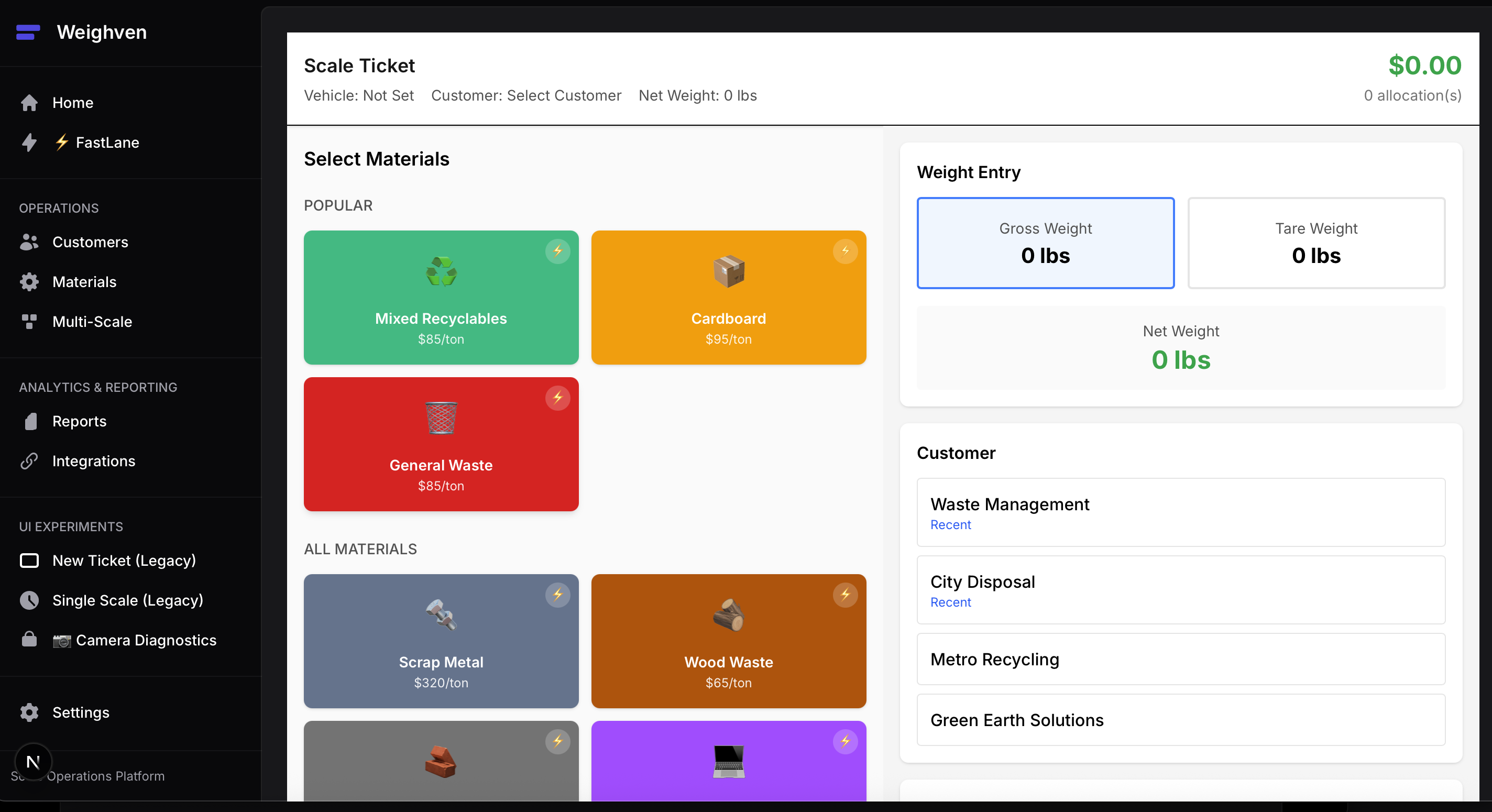
Early prototype experimenting with POS-style button-heavy UI across different screen sizes
With current tools I can generate several UI variations, test them on each device, drop what doesn't work, and refine what does. That takes about as long as setting up a development environment used to.
The scale house problem
Scale house operators know the problem. They search through several screens to find a customer account while trucks wait in line. They type the same material descriptions again and again. They switch between apps for documents, photos, and filing. Each extra click or delay adds up. Drivers wait, operators feel the pressure, and trucks burn diesel while they idle.
Weighven is meant to reduce that friction.
Scale house software is complex because the job is complex. Multi-origin loads, material tracking, compliance documents, fee calculations, and LEED reporting all stay. My goal is an interface that makes that work simpler for the operator, so repeat customers go through quickly and the system handles the details.
Why I started with the frontend
I'm not a designer. Frontend work has always been my weakest skill. My strengths are backend systems, databases, and APIs.
For Weighven, I started with the frontend on purpose. I wanted to see what someone with limited frontend skills could do with current AI tools.
I built responsive interfaces for desktop, tablet, and mobile. Without AI coding tools, that would have taken me weeks. The tools also helped me think through user experience, responsive layout patterns, and workflows I would not have considered on my own.
I'm now less worried that the frontend will hold back a good idea. The harder question is which problems are worth solving.
The tools
Agentic coding tools (Claude, Cursor, v0) let me iterate on interfaces in hours. I can try several layouts for truck ID capture in a morning, see which one works best, and keep it.
AI-assisted design helps me think through user experience patterns and explains why one approach works better than another.
Hot reload development with Next.js lets me catch usability problems early, when they are cheap to fix.
Modern deployment platforms (Cloudflare Workers, Vercel, Railway) let me put working software in front of users quickly, with no server setup or complex installs.
This speed matters for feedback. If an operator says "I wish the system would remember my three most common material types," I can often build, test, and deploy that change quickly.
What the screenshots show
These screenshots are not mockups. They are working interfaces running on real devices. The truck identification, weight capture, and material selection screens respond to touch, keyboard, and mouse input.
Desktop
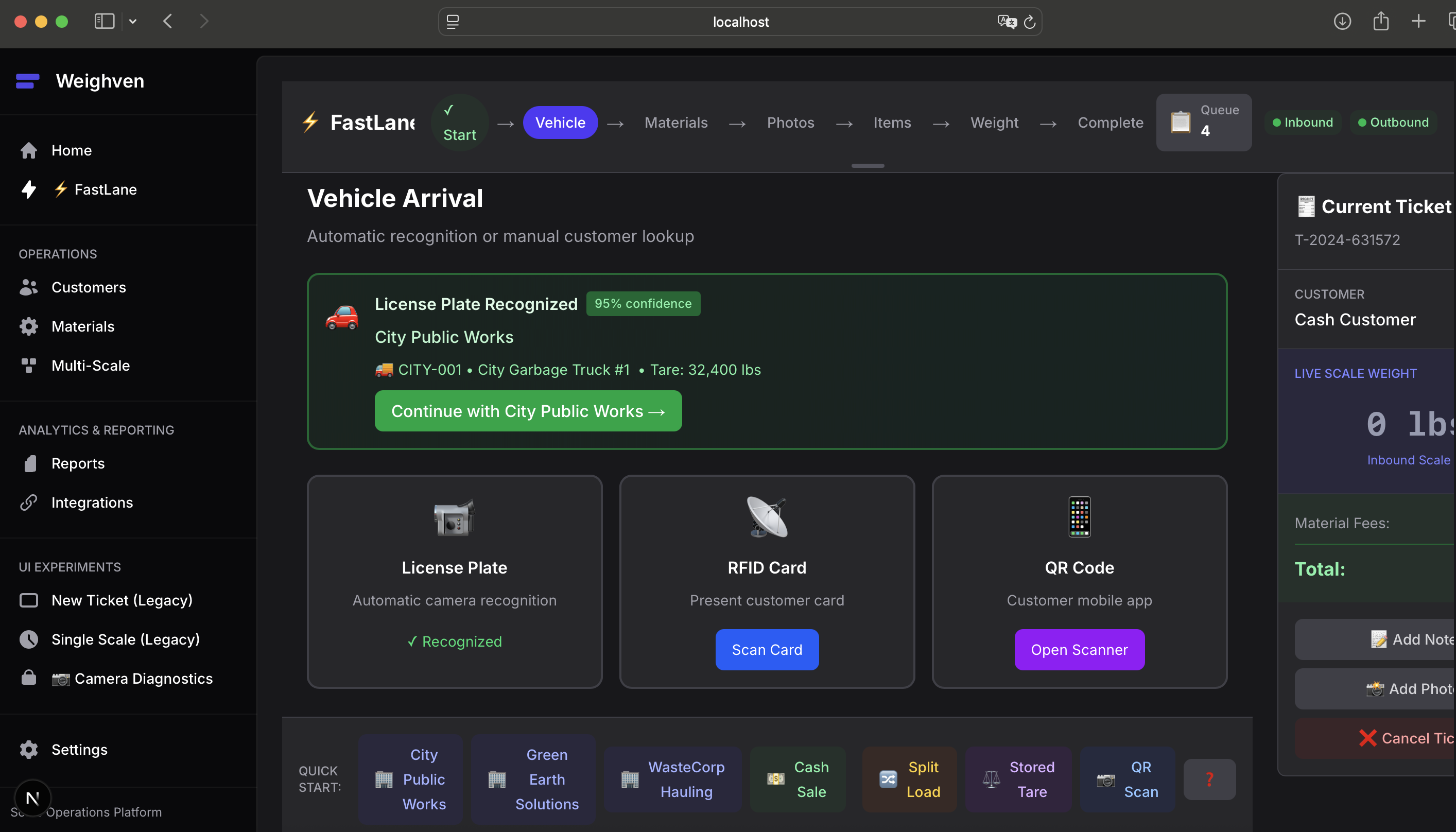
Desktop interface for full scale house operations
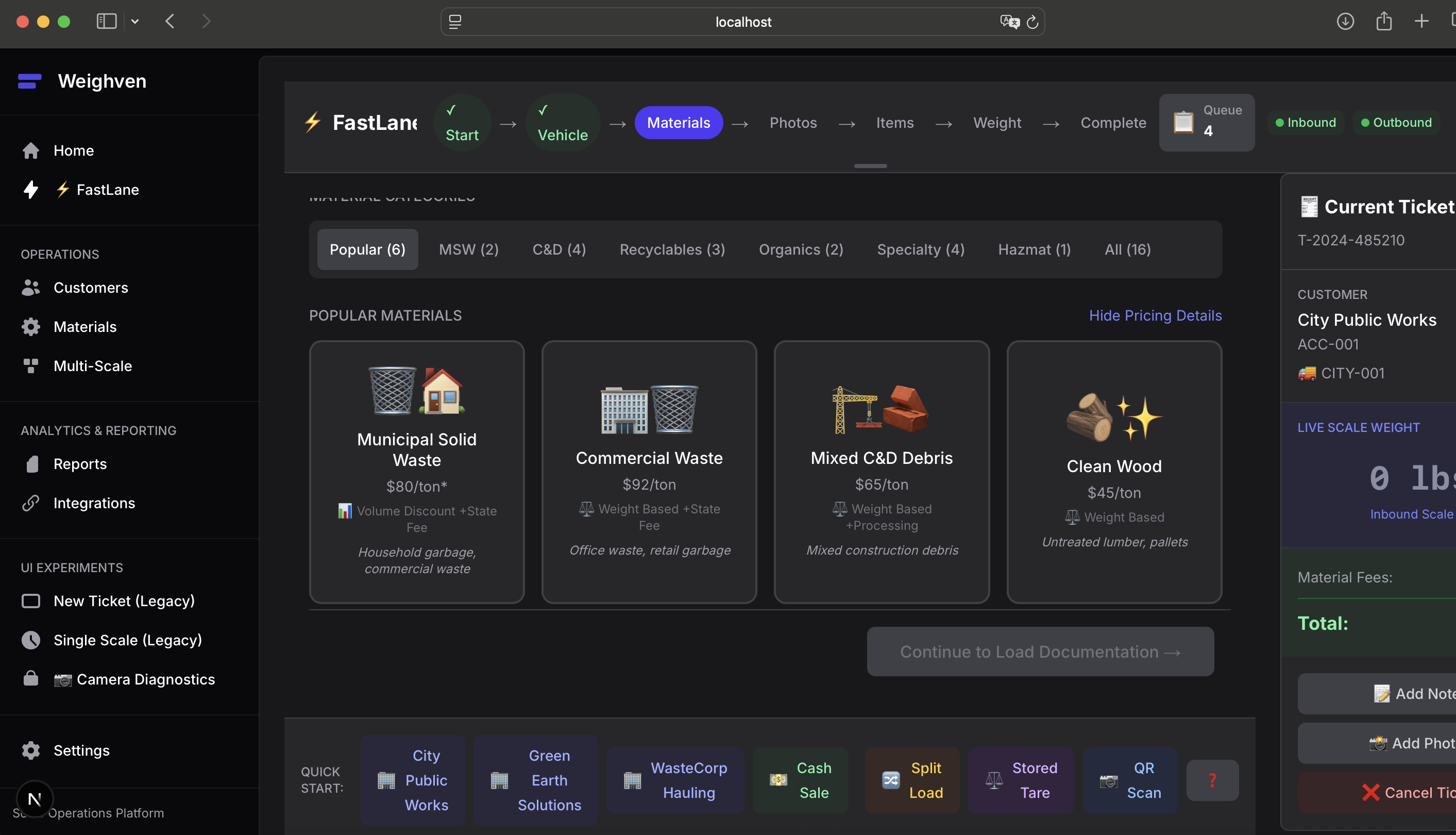
Desktop material selection using icons and cards
Mobile workflow
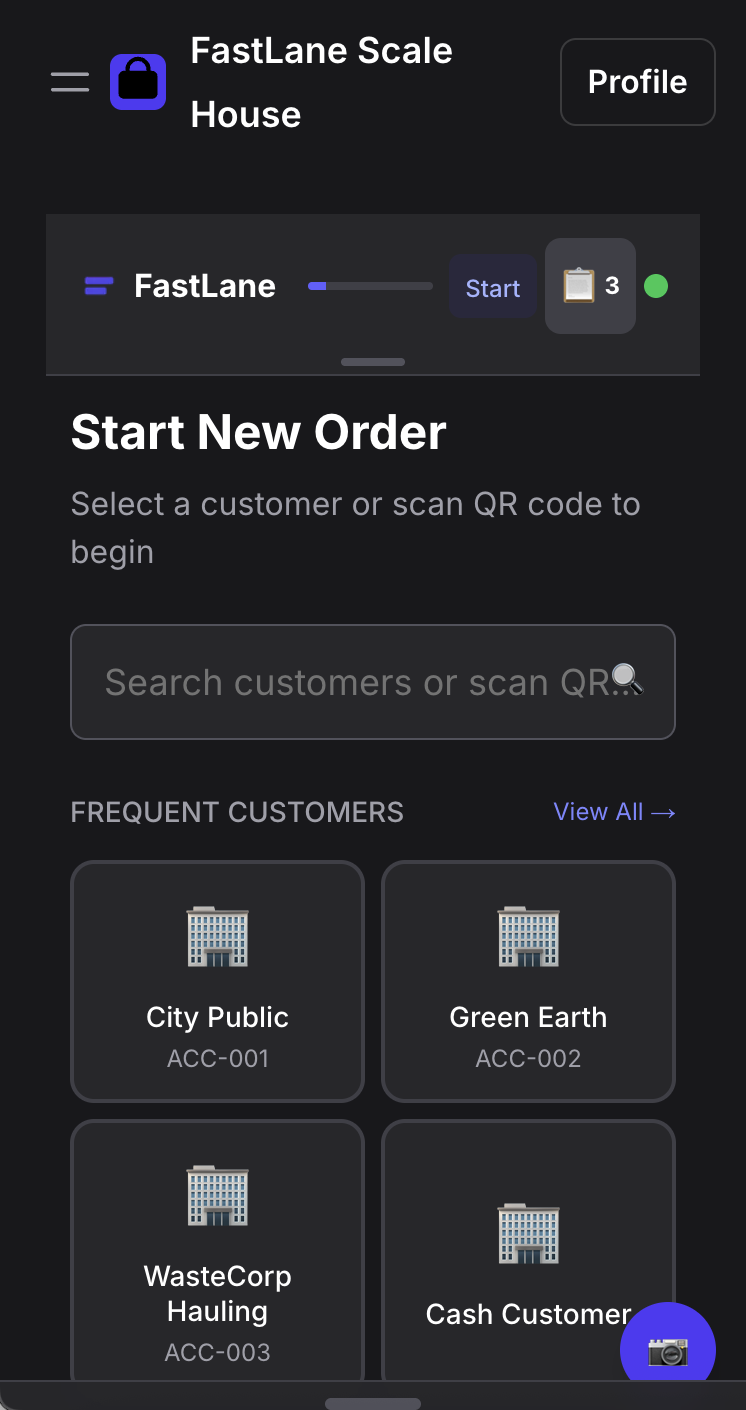
Customer Selection
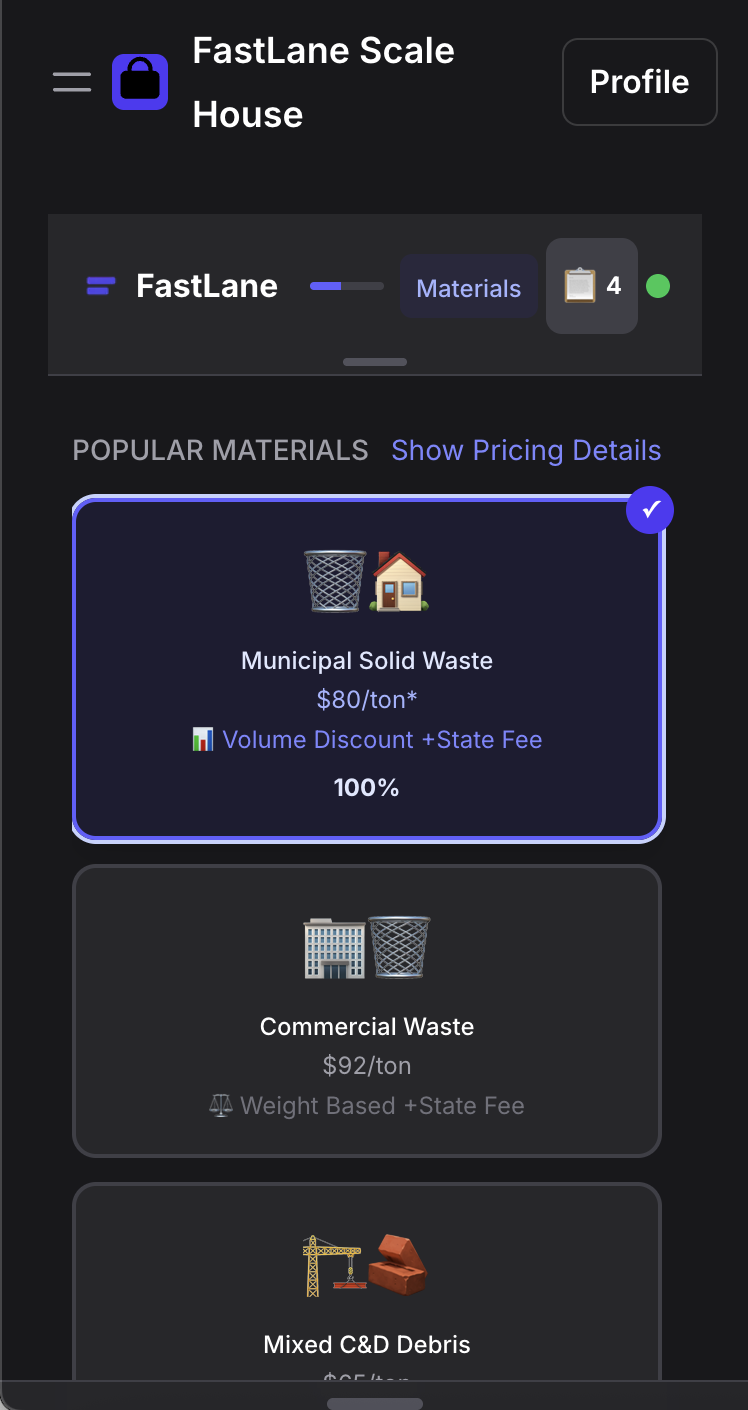
Material & Pricing
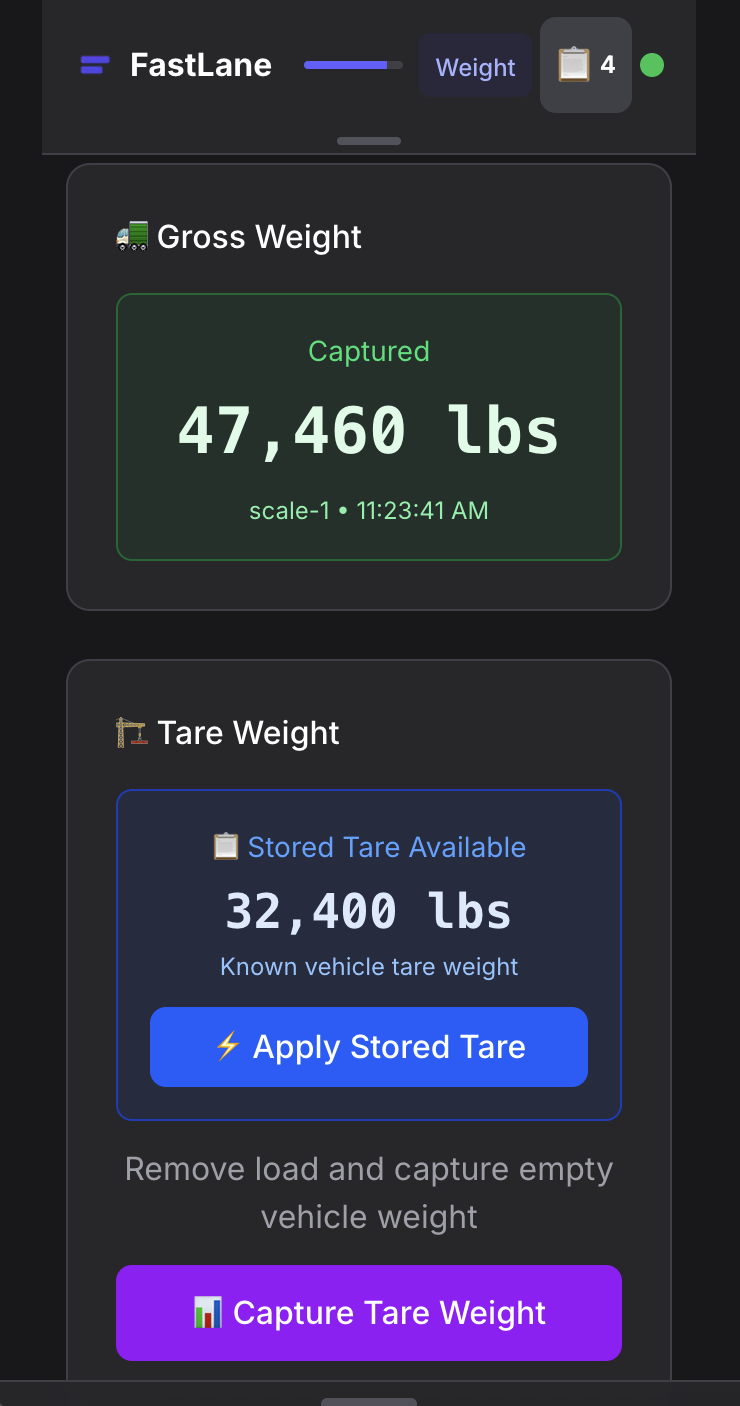
Weight Capture
Mobile workflow from customer selection through weight capture
I'm sharing this early on purpose. The UI is not finished or polished, and it will change with feedback and more work. The backend is not connected, the billing logic is not built, and many features remain. But the core screens work on the devices operators already use.
What comes next
Before the first customer can start, these priorities need to be done:
- Backend integration for real-time scale data and ticket generation
- Compliance documentation with automated photo workflows
- Material suggestion engine and fee calculation logic
- Unattended weighing capabilities and hauler integrations
With the frontend in place, I'm moving to my strengths: backend systems, data integration, and business logic. The same tools that made the first three days possible should help here too.
I plan to put feedback from operators into the product quickly. Many requests can become working features within days.
I need input from scale house operators
Building Weighven without input from the people who run scale houses would be a mistake. You know what slows down operations and where the pressure points are.
If this looks useful, tell me why. If you think I'm missing the mark, tell me that too. If you have ideas for features that would help your daily work, share them.
Email me at [email protected] and tell me:
- What slows down your scale house operations
- Which problems cost you the most time and money
- What features would make your operators' work easier
- How Weighven could integrate with your existing systems
You can also connect with me on LinkedIn to follow Weighven's development.
Summary
AI tools let me work on my weakest skill and get usable results in days. For scale house operators, that means software problems can be fixed faster than before. For developers, it means one weak area no longer has to block a project.
It also makes small, niche markets easier to serve. When you can test an idea quickly, a niche that used to be too risky becomes worth trying.
If you have an idea for what Weighven should do next, let me know.
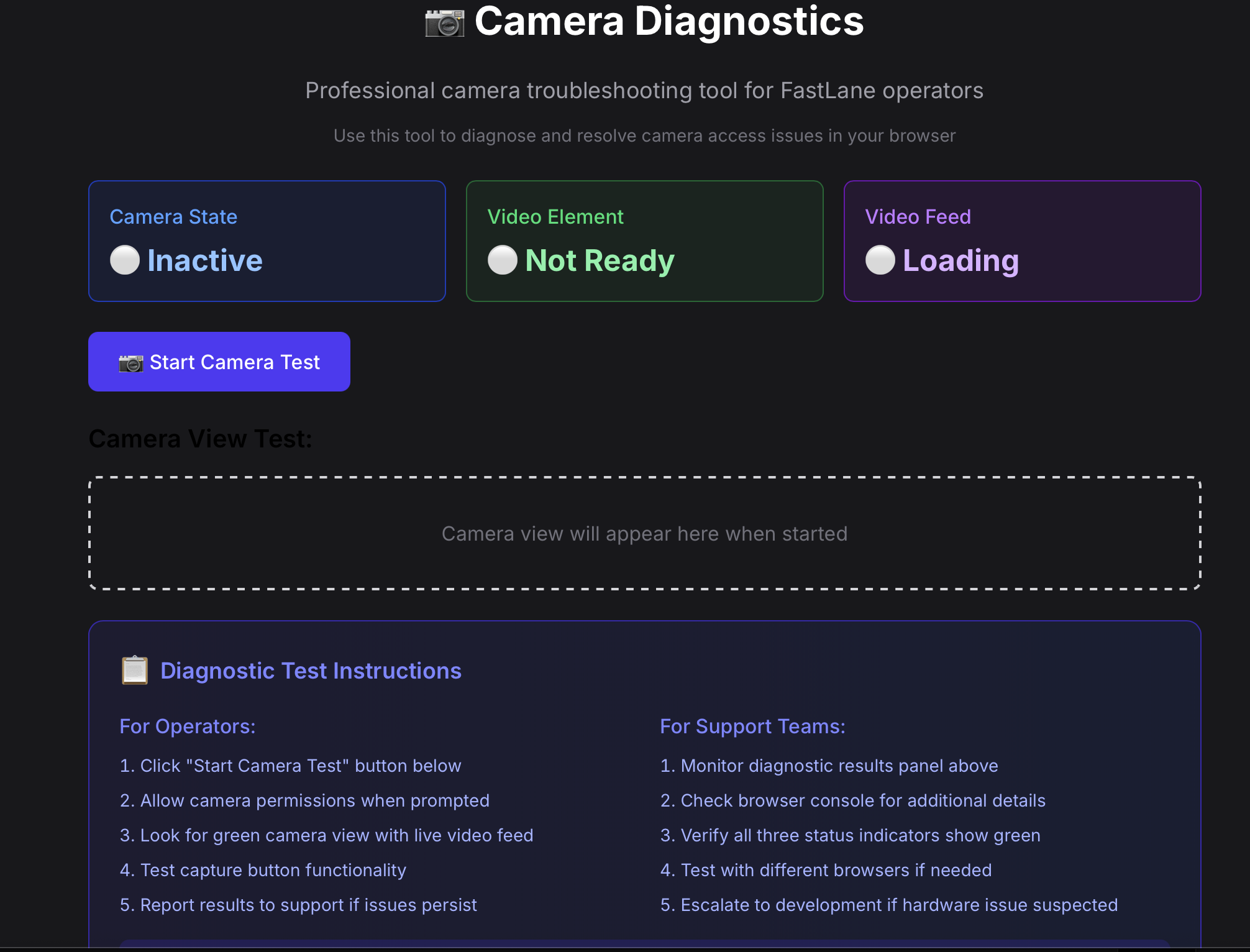
Diagnostic screen built to troubleshoot a webcam issue, now kept as a permanent troubleshooting feature
Want to see more than screenshots? Reach out and I'll show you the working interfaces I've built so far. I started this project unsure whether I could make a decent-looking button.